Does publishing analysis results as a URL mean the team now has a real-time data system?
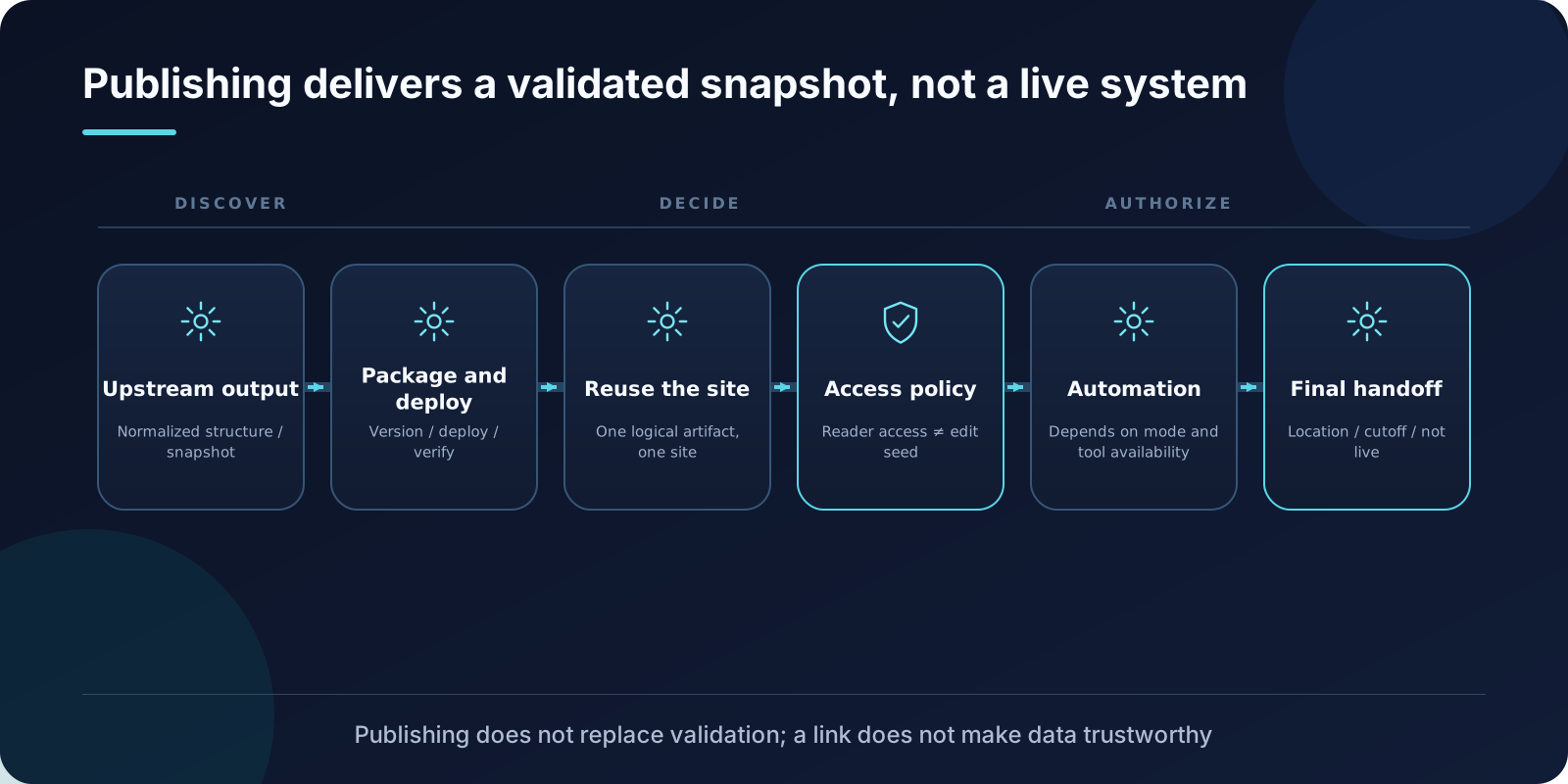
No. The original documentation for Publish Artifact to Sites clarifies this boundary first and foremost: what is published is a snapshot; it does not automatically add live data source connections.
This boundary dictates all subsequent design decisions: how access permissions are configured, how versions are managed, and what must be communicated during handoff.
Not Just Dumping a Draft Online
Before publication, the report or dashboard workflow should have already produced a complete, standardized structure with a controlled data snapshot that has passed validation.
This Skill is responsible for accepting qualified artifacts, organizing packaging, version storage, deployment, and verification. It does not perform analysis, nor does it judge whether the numbers are correct.
Therefore, a successful publication cannot replace analytical validation. An incorrect number does not become more credible simply because it has a shareable link; conversely, a successful deployment does not prove the data is current.
Reuse the Same Site for the Same Logical Artifact
The original documentation recommends: one logical report or dashboard corresponds to one Site; subsequent updates publish new versions rather than creating a new, scattered URL each time.
This convention separates two distinct issues:
- “Who owns the report”: A stable identity corresponding to a fixed address and access policy.
- “Which version is current”: Each publication generates a version corresponding to a specific data cutoff time.
Without this separation, team chat logs will be scattered with dozens of links, leaving no one able to clarify which is the latest or which remains accessible.
Even after a successful update, the deployment status must be verified. The original requirement is to poll until a terminal state is reached, not to treat “publication started” as “already accessible.”
Having a Link Does Not Mean Access Scope Is Correct
The original documentation requires reading the current access policy and strictly verifying that only the creator has permission.
Here is a set of permissions that are easily confused:
| Permission | What It Controls |
|---|---|
| Reader Access | Who can open the page to view content |
| Presentation Edit | Who can modify text and layout on the page |
Reader access and edit access are two separate matters. Sharing a page with more readers should not inadvertently grant editing capabilities; conversely, granting editing capabilities to the creator should not expand the reader scope.
The original documentation also stipulates: when enabling editing, the designated creator can modify text and layout, or initiate refreshes and export handoffs; these presentation-level overrides remain within Sites and do not sync back to the desktop client. This point must be clarified before use, otherwise teams may mistakenly believe that edit results will be written back to the source file.
Automatic Publication Is Conditional, Not a Universal Promise
The original documentation distinguishes between operating modes:
- In explicitly identified work modes, where the full Sites lifecycle tool is callable, persistent artifacts are published via the automatic route.
- In non-work modes on the desktop client, an explicit request or acceptance of sharing suggestions is required.
The original documentation also outlines failure handling: if the full lifecycle is unavailable, or if a retry in work mode still fails, the system should automatically switch to the self-contained HTML mode of the owning workflow, briefly explain the failure stage, and must not claim that the site has been published. If the user explicitly requires Sites only, report the blockage truthfully rather than unilaterally changing the delivery surface.
These are the routing rules for this repository version; they do not imply that any specific environment already possesses the corresponding permissions, nor do they indicate that all content can be automatically made public.
Final Handoff Must Clarify Three Things
The original documentation requires explicitly stating the following during delivery:
- Where the page is: The accessible address.
- When the data cuts off: The timestamp corresponding to the snapshot.
- It is a snapshot, not a live connection: Subsequent data changes will not automatically reflect.
The third point is most frequently omitted and most likely to cause misuse. Upon receiving the link, business stakeholders will assume it represents “current data”; if it is actually a snapshot from three weeks ago, decisions based on it will be erroneous.
In case of failure, the failure stage should also be explained, and fallback should occur via permitted routes.
A Common Chain of Misconceptions
This chain repeatedly appears in practice:
- “The data is in the repository, so the page is real-time.”
- “The page opens, so the data is correct.”
- “The link has been sent, so the task is complete.”
None of these steps hold true. The page is a snapshot; correctness comes from pre-publication validation; task completion depends on whether the recipient can use it correctly.
The design in the original documentation addresses each point precisely: snapshots must have cutoff times, validation must occur before publication, and handoff must clarify boundaries.
When Designing Your Own Publication Workflow
Three checks you can apply immediately:
- Before publication, has the artifact passed validation and includes a controlled data snapshot?
- Does the site reuse the same address rather than creating a new one each time?
- Does the handoff information clearly state the location, cutoff time, and “not real-time”?
Publication capabilities solve “how to share a validated version,” not how to instantly become a real-time BI system. Updates, permissions, and evidence boundaries still require explicit product design.
Reference: OpenAI Data Analytics Skills Public Reference Repository